
vnROM Bypass APK v2.1 2026 – Fast & Easy FRP Removal Tool
Getting locked out of your own Android phone can be highly frustrating. This usually happens when you reset your phone but forget your Google login details. This protective security layer is called Factory Reset Protection. Thankfully, tools like the vnrom bypass tool are built to help you regain access.
If you need a reliable vnrom frp bypass apk that works on older and newer devices, you are in the right place. In this complete guide, we will explore the frp bypass process using the latest android 14/15 apk updates to get your device up and running again.
What is vnROM Bypass? (Quick Answer)
The vnROM Bypass is a popular software utility that helps users bypass the Google Account Verification screen on Android devices. This security screen appears automatically after an unauthorized hard factory reset. By visiting vnrom.net/bypass, users can download specific micro-apps to unlock their system settings.
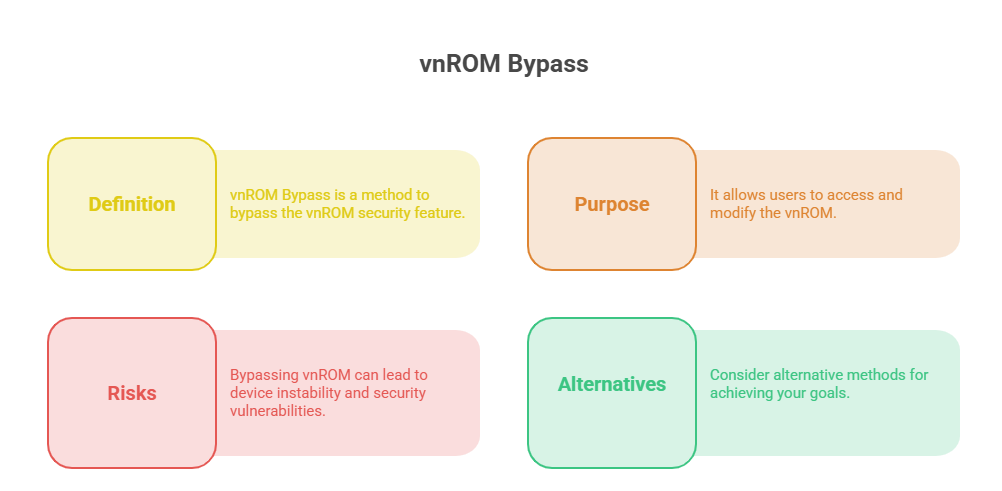
When people run into this issue, they often search for a frp vnrom solution. But first, it helps to understand the root cause.
What is the FRP code?
The FRP code stands for Factory Reset Protection. It is a built-in security feature introduced by Google for devices running Android 5.1 and higher. It permanently links your smartphone to your primary Google account. If your phone gets wiped without logging out first, the device locks down. It will refuse to open until you enter the exact Google email and password previously used on that specific device.
Before You Start: Requirements and Prerequisites
Before you download any tools, make sure you meet the correct android version requirement. Different security patches need different methods.
Here is what you need to prepare:
- A Stable Wi-Fi Connection: You will need to download tool files directly to the locked device or a secondary device.
- An APK No Root Tool: The vnROM toolkit is entirely an apk no root solution, meaning you do not have to risk ruining your phone’s core operating system.
- Follow Clear Instructions Android: Make sure your device has at least 50% battery life so it does not shut down randomly during the removal process.
- Accessory Tools: Some methods require an extra phone, an OTG cable, or a computer, depending on how new your phone’s security patch is.
How to Remove Google FRP Lock on Android (2026 Methods)
Many users ask: Can Google FRP be removed? Yes, it can. Another common question is: Can FRP lock be disabled? Yes, but only if you can access the main settings menu or use external tools.
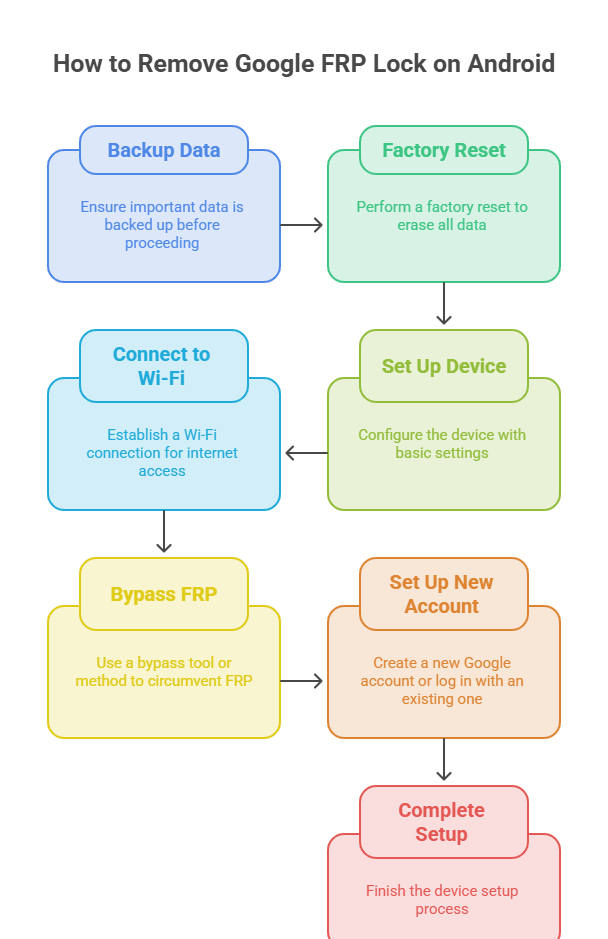
Using the vnrom bypass 2026 updates, you can successfully bypass google account setups without needing an official recovery key. Below are the official methods categorized by device brand and Android version.
Samsung / Galaxy FRP Bypass (Android 11, 12, 13, 14)
The vnrom samsung partnership of tools works exceptionally well on legacy and modern devices. For older popular models like the samsung j5 prime, simple APK installation often does the trick. However, to bypass android 11 samsung setups and newer iterations, follow these steps:
- Connect to Wi-Fi on the welcome screen.
- Use an external tool or TalkBack settings to open the stock internet browser.
- Access the vnROM portal and select the Alliance Shield setup or the dedicated OS Settings shortcut.
- Log into a secondary Samsung Account to restore your backed-up apps and bypass the verification layer.
Vivo FRP Bypass — Y02, Y16, Y17s, Y36, Y19s, Y27s
Modern Vivo phones have strong security layers, but they are easy to bypass with the right steps. If you own a vivo y02, vivo y16, or need a vnrom bypass vivo y20 fix, you can usually do this without a computer.
- To unlock a vivo y02 without pc, use the phone’s built-in “EasyShare” feature.
- Transfer the specialized helper apps from a secondary Android phone directly to your locked Vivo phone to skip the account check entirely. This method also works seamlessly on the vivo y17s, vivo y36, vivo y19s, and vivo y27s.
Xiaomi / Redmi FRP Bypass — Redmi A1, A3, A5, 6A, 13C, 14C
If you use a vnrom redmi solution, you will target system sub-menus like the Second Space feature or the stock settings app. This method works perfectly across multiple generations, including the redmi a1, redmi a3, redmi a5, 6a, redmi 13c, and redmi 14c.
- Open the hidden browser on your miui 14 or HyperOS device.
- Go to the vnROM page and tap “Open Settings”.
- Navigate to Special Features and turn on “Second Space”.
- Create a second user profile without a password, switch to it, and reboot the device to clear the lock screen.
OPPO / Realme FRP Bypass — A16, A18, A38, A3x, Realme C11
OPPO and Realme phones share a very similar internal software design. Whether you are dealing with an oppo a16, oppo a18, oppo a38, oppo a3x, or a realme c11, you can use the built-in system clone tool.
- Use the emergency call trick or accessibility menu to launch the browser.
- Use the vnrom oppo links to launch the official “Clone Phone” application.
- Use a secondary phone to clone clean system data onto the locked device. This overrides the old setup wizard and lets you into the main home screen.
Motorola / Tecno / TCL / ZTE and Mixed Brands
For other phone brands, the process involves using specialized apps to change the phone’s device manager settings.
- Motorola: Use the vnrom motorola settings to access the wireless settings menu on android 14 motorola devices, then disable Google Play Services.
- Tecno: Use the tecno spark internal phone master application to force-install your downloaded bypass packages.
- TCL & ZTE: Open the vnrom zte links or use tcl hidden service codes to manually launch the Android setup wizard and skip account verification.
Android Version Setup — Android 7 / 11 / 12 / 13 / 14 / 15
- Android 7 (Nougat): Simply install the direct FRP bypass APK file, enter a new Google account in the settings menu, and restart.
- Android 11 & 12: Use the accessibility menu trick or TalkBack commands to launch Google Assistant, then ask it to open YouTube or Chrome.
- Android 13, 14 & 15: These newer versions require the use of backup restoration techniques via cloud accounts (like Samsung Cloud or Xiaomi Cloud) or external desktop flashing tools to clear out the persistent factory storage data.
Download Latest vnROM APK v2.1 (Official Link)
To get started, you must download the necessary tools. Using an official, untouched source prevents malicious malware from infecting your smartphone.
Use the quick list below to choose your required vnrom apk download:
| Tool Name | Purpose | Download Links |
| vnrom apk v2.1 | Core Android Bypass Package | [Download Mirror 1] |
| vnrom bypass apk download | Quick Account Reset Tool | [Download Mirror 2] |
| download vnrom frp bypass apk | All-in-One Utility | [Download Mirror 3] |
Note: If a download mirror fails, try using an alternate spelling search like vnroom apk or venrom tool online to locate a working backup server.
How vnROM Bypass Works
Understanding how to use vnrom tools helps you fix unexpected issues during the process. The tool relies on minor programming exploits within the standard Android setup wizard.
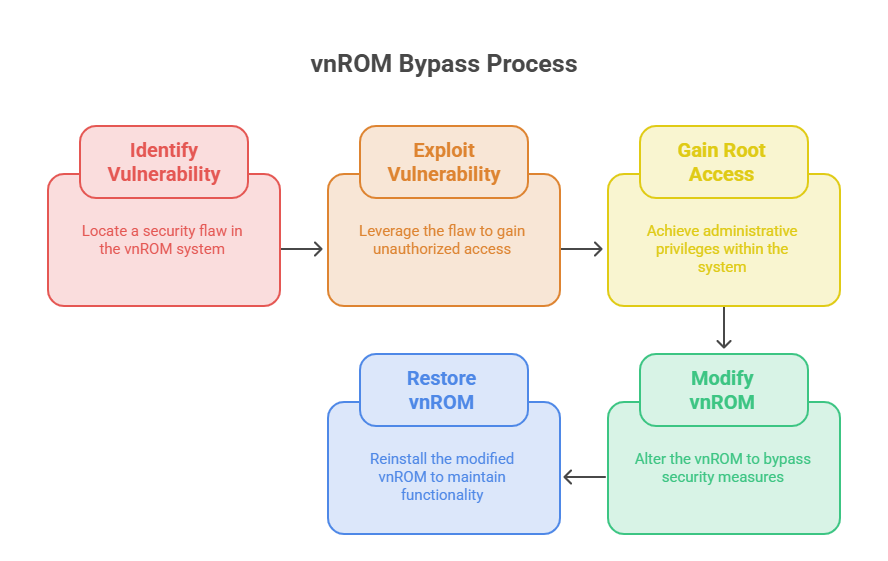
When you open the vnrom bypass instructions on a locked phone, you are looking for a way to break out of the closed setup loop. The app opens up deep system entry points. By modifying your vnrom settings, you can trick the device into thinking the initial device setup has already ended. This lets you turn off the system apps responsible for tracking the device’s original owner details.
How to Install and Use vnROM App — Step-by-Step Guide
Follow this simple tutorial to safely install the vnrom bypass android configuration:
- Access the Browser: On your locked phone, find a way to open a web browser (usually via TalkBack, emergency dialer codes, or an external PC tool).
- Visit the Download Page: Go to the official vnROM page and download the core frp bypass apk file.
- Allow Unknown Sources: If prompted by the security system, go to your browser settings and check the box to allow installations from unknown sources.
- Install the Utility: Tap the downloaded file and install it.
- Launch the System App: Open the activity launcher apk frp bypass tool from the menu to see all the hidden settings on your phone.
- Add a New Account: Go to the Account Management settings, add a new Google account that you own, and restart your device. Your phone will now accept the new account as the primary one!
APK Names and Galaxy Store Bundles (Reference List)
Sometimes, a single app cannot bypass the lock screen on its own. You may need to open secondary storefronts or use separate package launchers to get the job done.
- vnROM Activity Launcher APK: This tool lets you view and open hidden app menus that are usually blocked on standard phones.
- Alliance Shield: A security management tool that lets you change device administrator permissions and turn off the Google setup wizard.
- Galaxy Store: The official Samsung application store. You can use it on locked devices to download hidden settings apps without signing into a Google account.
Safety and Disclaimer
A common question people ask is: Is bypassing FRP illegal? No, bypassing an FRP lock is not illegal, provided that you are the rightful owner of the smartphone or have explicit permission from the owner to unlock it. Turning off this protection on a lost or stolen device is a violation of service terms and local property laws. Always use this tool responsibly.